
Last Verified: October 2026 by FanCake Seoul Editorial Team
100% Authentic Local Review
Affiliate Disclosure: Disclosure: This article contains affiliate links. If you make a purchase or booking through these links, we may earn a commission at no additional cost to you.
Quick Summary
- Make sure your phone is carrier-unlocked before leaving home, as locked devices cannot activate Korea eSIM or foreign cellular profiles.
- Digital eSIM profiles activate via QR code in minutes, allowing you to walk straight out of the airport without waiting at rental counters.
- Download Naver Map and Papago in English before your flight so you have navigation and live translation ready the moment you land.
Having reliable, high-speed mobile data the moment your flight lands in South Korea is not just a convenience—it is practically essential. From navigating subway exits using local Korean map apps to translating restaurant menus and requesting taxis, everyday life in Seoul runs on instant mobile connectivity. In this guide, we look at Korea eSIM from a local perspective to help you stay connected without overpaying or dealing with airport friction.
If you are deciding how to handle your internet access, you might wonder whether Korea eSIM is worth getting ahead of time or if picking up a physical SIM card at Incheon Airport makes more sense. Here is a clear, realistic evaluation of what works best on the ground.
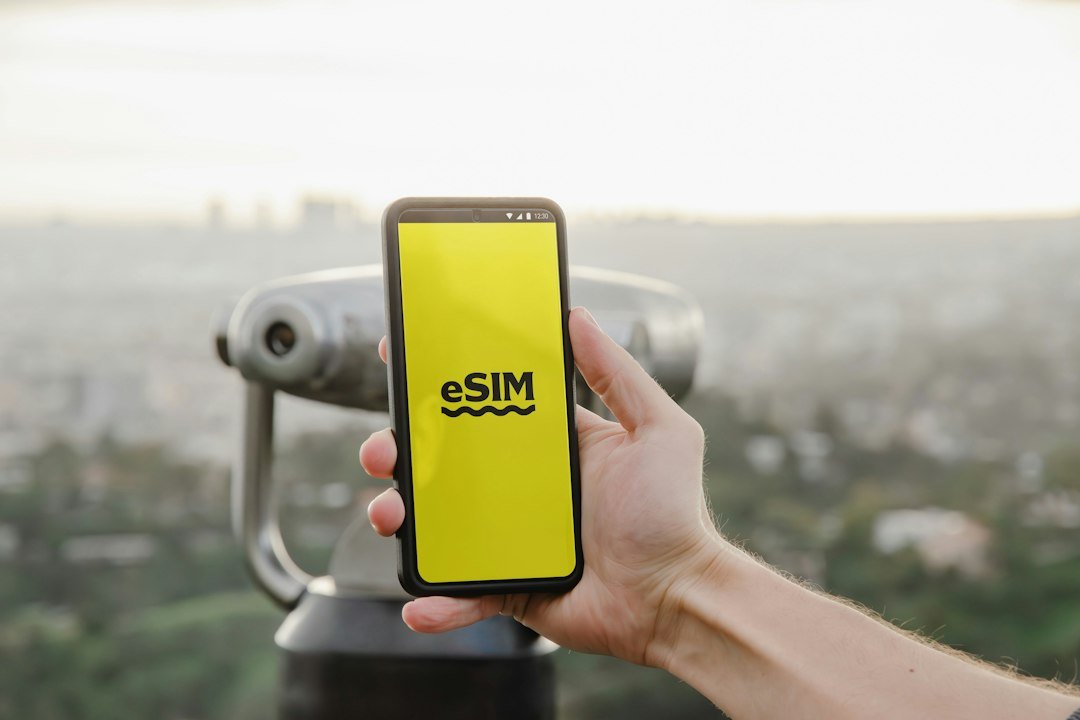
1. Understanding Korea eSIM: Networks, Speeds, and Coverage
South Korea possesses some of the most advanced telecommunications networks globally, primarily operated by three major carriers: SK Telecom (SKT), KT, and LG Uplus. Whether you are traveling through deep underground subway corridors, hiking in Bukhansan National Park, or visiting coastal destinations like Busan and Jeju, high-speed 4G LTE and 5G coverage is virtually universal.
When selecting Korea eSIM, the main decision for international travelers is choosing between an instant digital eSIM and a traditional physical SIM card collected at airport arrival counters.
| Feature | Digital eSIM (Korea eSIM) | Airport Physical SIM Counter |
|---|---|---|
| Activation Time | 2 to 3 minutes via QR code | 20 to 45 minute wait in arrival line |
| Physical SIM Tray | Original home SIM stays inside phone | Requires ejecting tiny nano-SIM card |
| Device Compatibility | Unlocked eSIM-compatible phones | Any unlocked GSM smartphone |
Local Recommendation: Why Digital Setup Wins
After an international flight, nobody wants to stand in a line of fifty passengers waiting for a counter clerk to swap a SIM card with a paperclip. Setting up your connection digitally ahead of time means your phone connects automatically as your aircraft taxis to the gate.
2. How to Set Up Korea eSIM Step by Step
Here is the recommended setup sequence to ensure seamless connectivity:
- Step 1: Check carrier unlock status: Before departing, contact your domestic network provider to confirm your handset is fully unlocked. Locked devices cannot install third-party profiles.
- Step 2: Purchase your plan and save your activation QR: Once ordered, save a screenshot of the installation QR code to your photos or print a backup copy.
- Step 3: Install the cellular profile: Open your smartphone cellular settings, tap ‘Add eSIM’, and scan the QR barcode. You can complete this before boarding your flight or via Incheon Airport’s free arrival Wi-Fi.
- Step 4: Enable data roaming upon landing: When your plane touches down, switch cellular data to the newly installed profile and ensure Data Roaming is turned ON. Within two minutes, you will see local signal bars appear.
3. Common Mistakes Visitors Make With Korea eSIM
Keep these common connectivity issues in mind to avoid unnecessary troubleshooting:
- Assuming Google Maps works like it does back home: Even on blazing 5G data, Google Maps does not give walking directions in Korea. Install Naver Map or KakaoMap for turn-by-turn walking routes, transit departure countdowns, and subway car recommendations.
- Worrying unnecessarily about a local phone number: Foreign travelers rarely need a local voice number. Messaging apps, ride-hailing platforms like Uber and Kakao T, and flight notifications operate over data. Many cafes and popular dining spots also offer email or QR waitlist options.
- Forgetting to bring a compact portable charger: Navigating unfamiliar neighborhoods, using camera translation tools like Papago, and checking subway schedules drains smartphone batteries quicker than usual. A small 10,000 mAh power bank in your daypack is always a smart companion.
4. Practical Tips for Staying Connected Across Korea
While Seoul offers public Wi-Fi on buses, inside subway cars, and in public plazas, these networks can be inconsistent and require frequent re-login screens as you transit between neighborhoods. Relying on dedicated Korea eSIM provides steady, encrypted internet access without intermittent drops.
If you take day trips to Busan or Gyeongju via KTX express trains, high-speed rail cars feature complimentary Wi-Fi and power outlets under every seat pair, making it convenient to recharge while planning your next destination.
Getting your data connection organized before your flight takes off eliminates one of the most common arrival headaches. Install your profile, verify your device unlock, and you will step off the plane connected and ready to explore.
Klook · Recommended Partner
Scan QR code upon landing. Instant high-speed data across South Korea with zero physical SIM swapping.
Frequently Asked Questions
Does Korea eSIM include a local Korean phone number?
Most traveler plans are data-only, which covers 99% of what you need. Popular messaging services like WhatsApp, iMessage, and KakaoTalk work seamlessly over high-speed data. If you specifically need an incoming 010 number for local restaurant waitlists, select a package that includes voice receiving.
Can I keep my primary SIM active while using this connection?
Yes. Dual-SIM smartphones allow you to keep your home physical SIM active for two-factor authentication SMS codes while routing all cellular data through your Korea connection to avoid expensive roaming fees.
What should I do if the data does not connect immediately upon landing?
First, verify that Data Roaming is turned ON for the new cellular profile. Second, restart your phone once you reach the terminal to force your device to register with local partner towers (SKT or KT). Connection typically stabilizes within two minutes.